
Gaugely is a live dashboard for your car or truck on Android — real gauges from a real OBD2 connection. Its one unbreakable rule: it never shows you a number it isn't actually measuring.
Android today. Not on Google Play yet — that's coming.
This is Champagne. He's the guide inside the app, and he'll show you around out here too.

“I don't have that one.”
The whole point
Most dashboards quietly fill the gaps. A sensor your vehicle doesn't actually have turns into a plausible-looking estimate. A reading that stopped updating four minutes ago keeps sitting there looking live. A missing value becomes a confident zero. And once you can't tell the invented numbers from the measured ones, you can't fully trust either.
Gaugely won't do that. A tile shows a number only when it is genuinely reading that number off your vehicle right now. When it isn't, you get two small dashes.
Here is what that actually looks like. These are real screenshots, taken with no adapter plugged in — which is why almost nothing has a number.
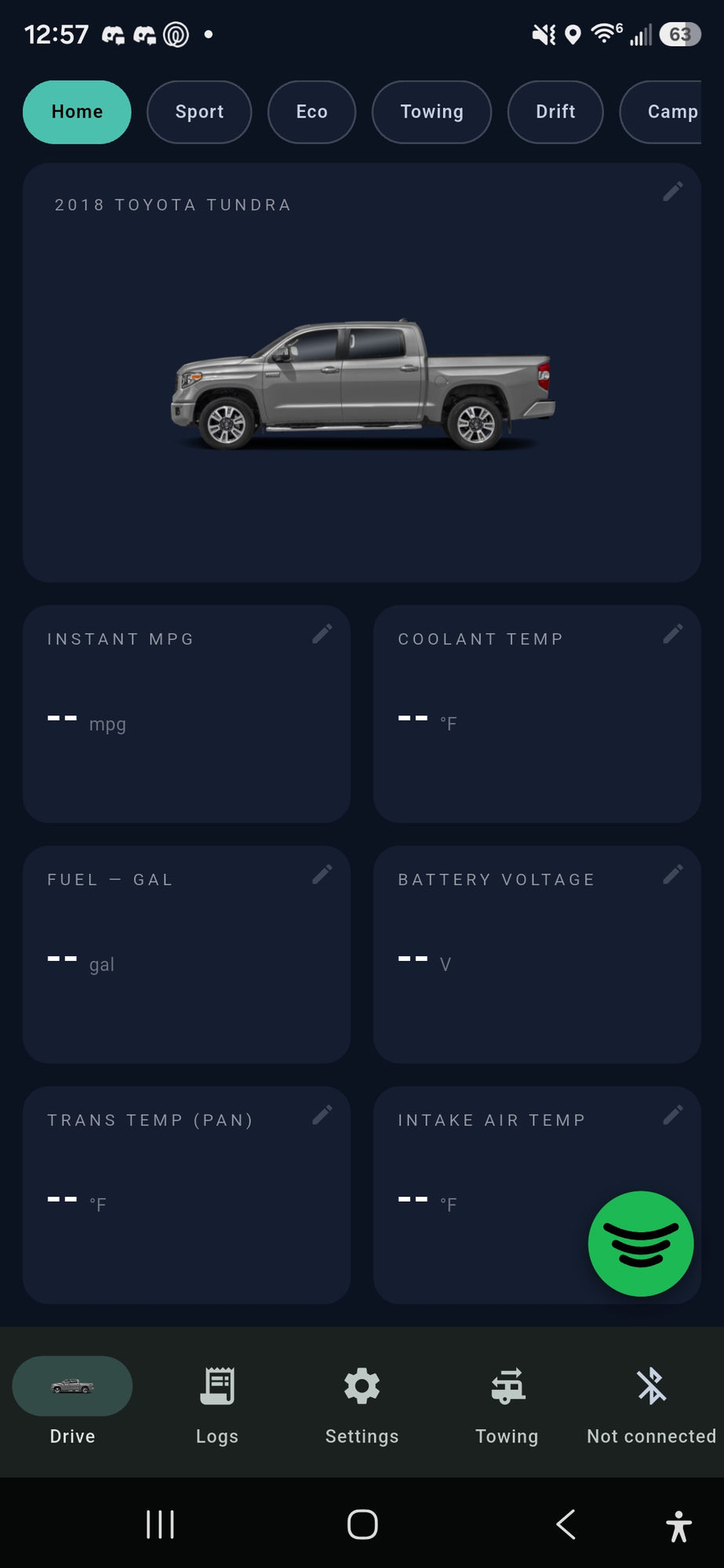
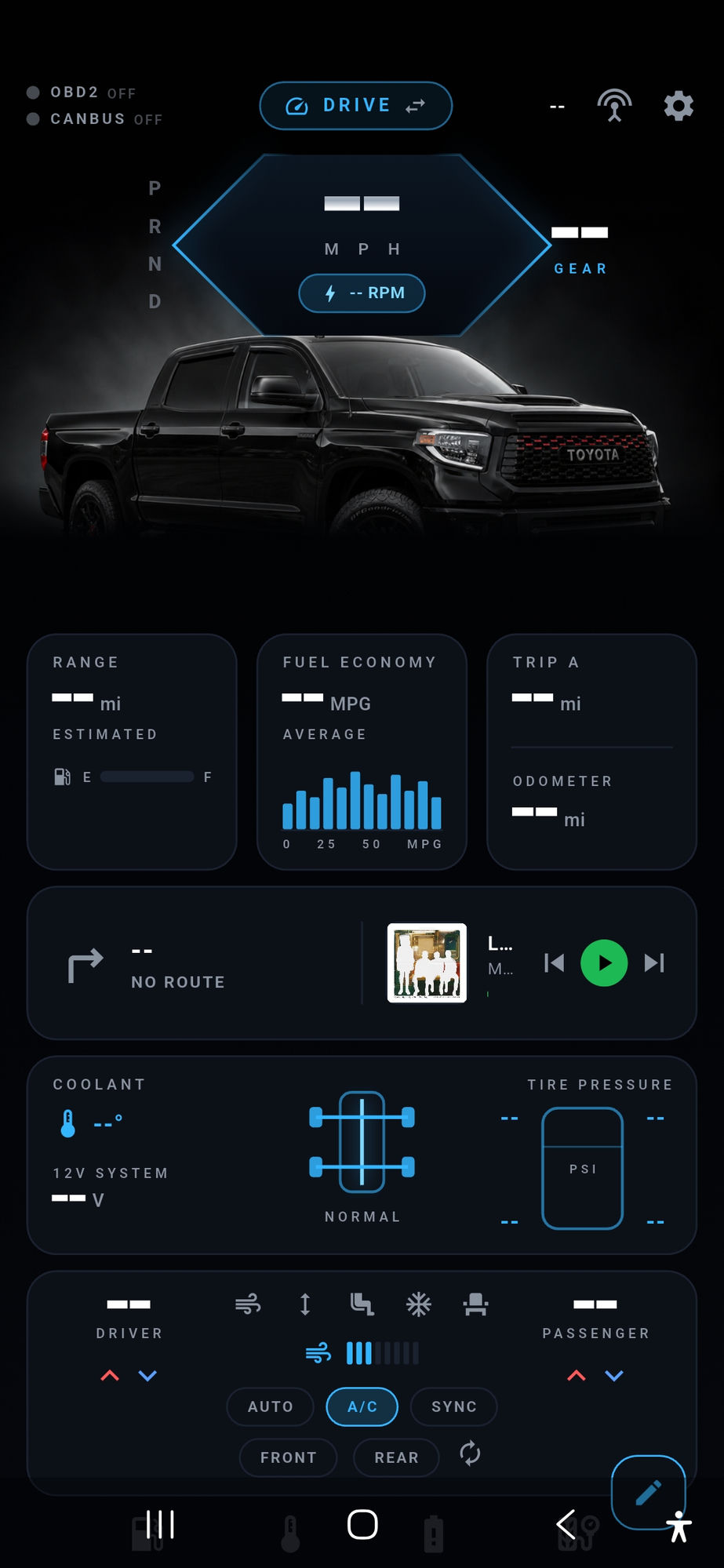
Most apps would have filled those tiles with zeroes and looked much healthier in a screenshot. We'd rather show you this.
That's the entire behaviour. Not an estimate, not a zero, not the last value it happened to see. Just --, meaning: I don't have this one.
The same rule runs all the way down. Unplug the adapter and every tile empties out instead of freezing on stale numbers. A tyre sensor reporting its “no reading” code shows --, not 0 psi. A CAN byte the decoder can't parse shows --, not a tidy-looking zero.
A dash is the easy case. The harder, more useful honesty is a number that exists but isn't as solid as it looks — so Gaugely says so on the tile, unprompted.
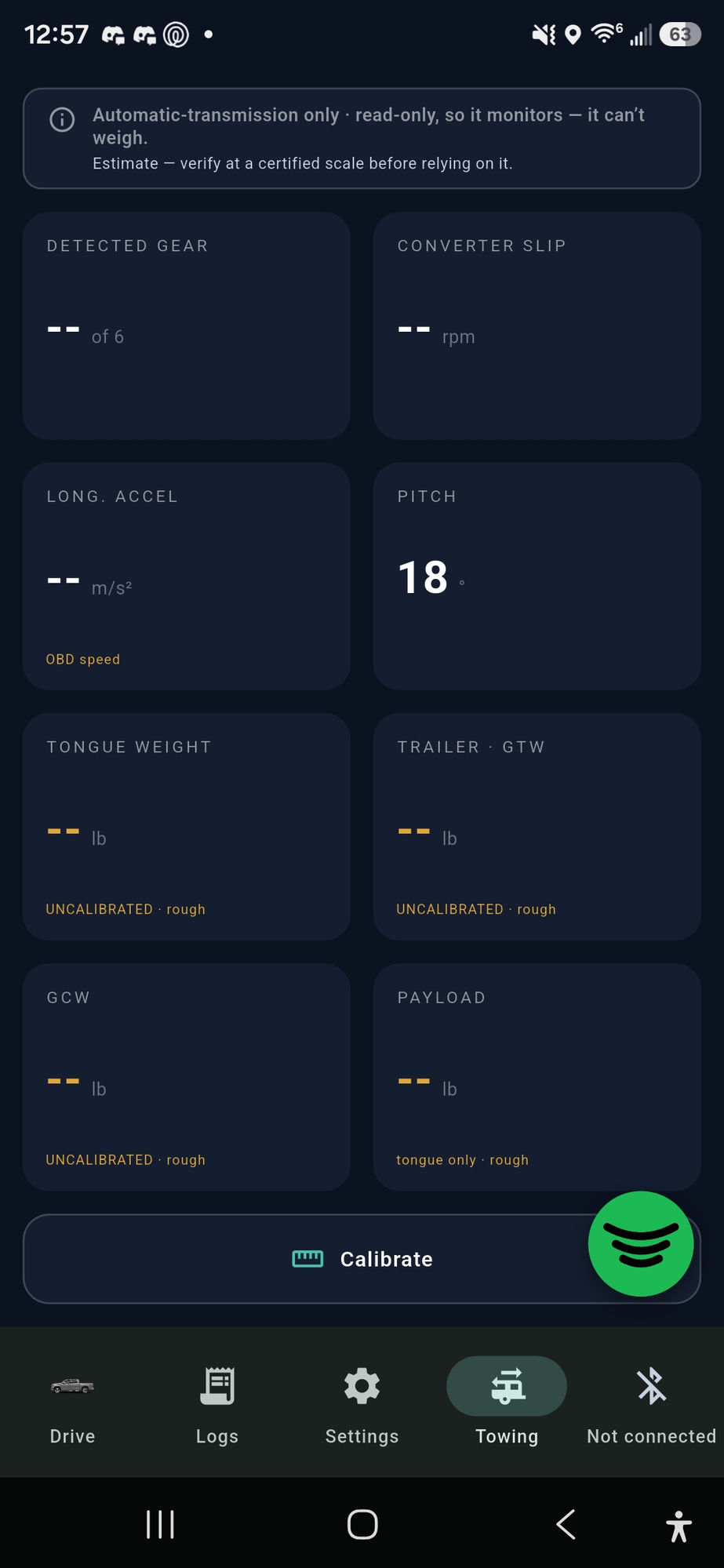
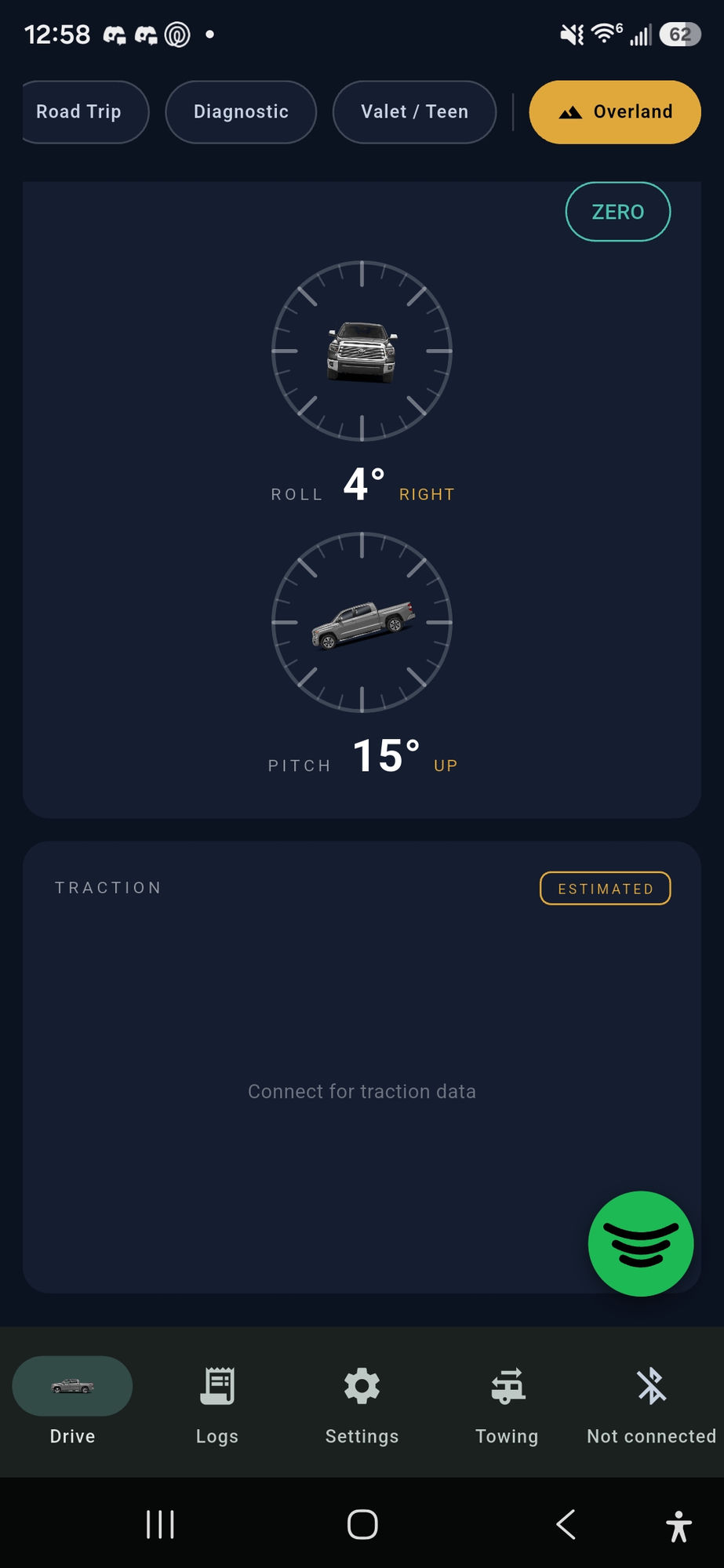
No app writes that about itself unless it means it. Where Gaugely estimates rather than measures — fuel remaining worked out from the miles since your last fill-up, a trailer weight derived from how the truck accelerates — it labels the estimate est and tells you what would be better.
A gauge you can trust when it's blank is a gauge you can trust when it isn't.

Getting connected
Gaugely talks to a Bluetooth OBD2 adapter in your vehicle's diagnostic port and reads the live data your engine computer is already broadcasting — speed, RPM, temperatures, fuel, pressures, whatever your particular vehicle actually supports.
On some Android head units it can go a step further and read the vehicle's own CAN broadcasts directly — the same signals the factory dash is using, with no adapter in the loop at all.

Then it's your dashboard, and you can shape it.
Digits is the default: a calm grid of tiles you can read at a glance. Apex is a full-screen sci-fi HUD for when you'd rather your truck felt like a spacecraft. Same data, one switch — both are pictured above.
Drive is the everyday cluster. Overland swaps in pitch, roll, altitude and heading for when the road stops being a road. Towing does the weight and gearing maths for a loaded rig.
Keep as many vehicles as you like and switch between them. The app reshapes itself to each one — the Towing tab simply isn't there on a vehicle that can't tow.
Trip logging, a fuel log with MPG, and a fault-code reader that shows what your check-engine light is actually complaining about — and clears it once you've fixed it.

Discovery
Every vehicle answers a slightly different set of questions, and no public list is complete. So Gaugely ships the tools to go and look.
These are hobbyist tools, and they're honest about it: an undecoded frame stays undecoded rather than being dressed up as a reading.

The shared database
When someone works out what a particular sensor means on a particular model, that finding can help the next owner of the same vehicle instead of being lost. Gaugely has a shared database for exactly that.
Contributing to it is opt-in, and the app asks you plainly before anything is sent. Until you decide, nothing is shared. Decide no, and Gaugely carries on working — that's the whole of it.
What the app collects, what leaves your phone and what never does is written out in full in the privacy policy.

On the road
Gaugely supports Android Auto, within the limits Android Auto sets: apps outside the navigation category don't get to draw their own screen, so what you get on the car display is a clean list of live values rather than gauges. That's the platform, not a shortcut — and it's still your real data, dashes and all.
There are Spotify now-playing controls in the app too, so skipping a track doesn't mean leaving your dashboard.

Where things stand
The same rule that governs the gauges governs this page, so:
 Gaugely